Project Summary
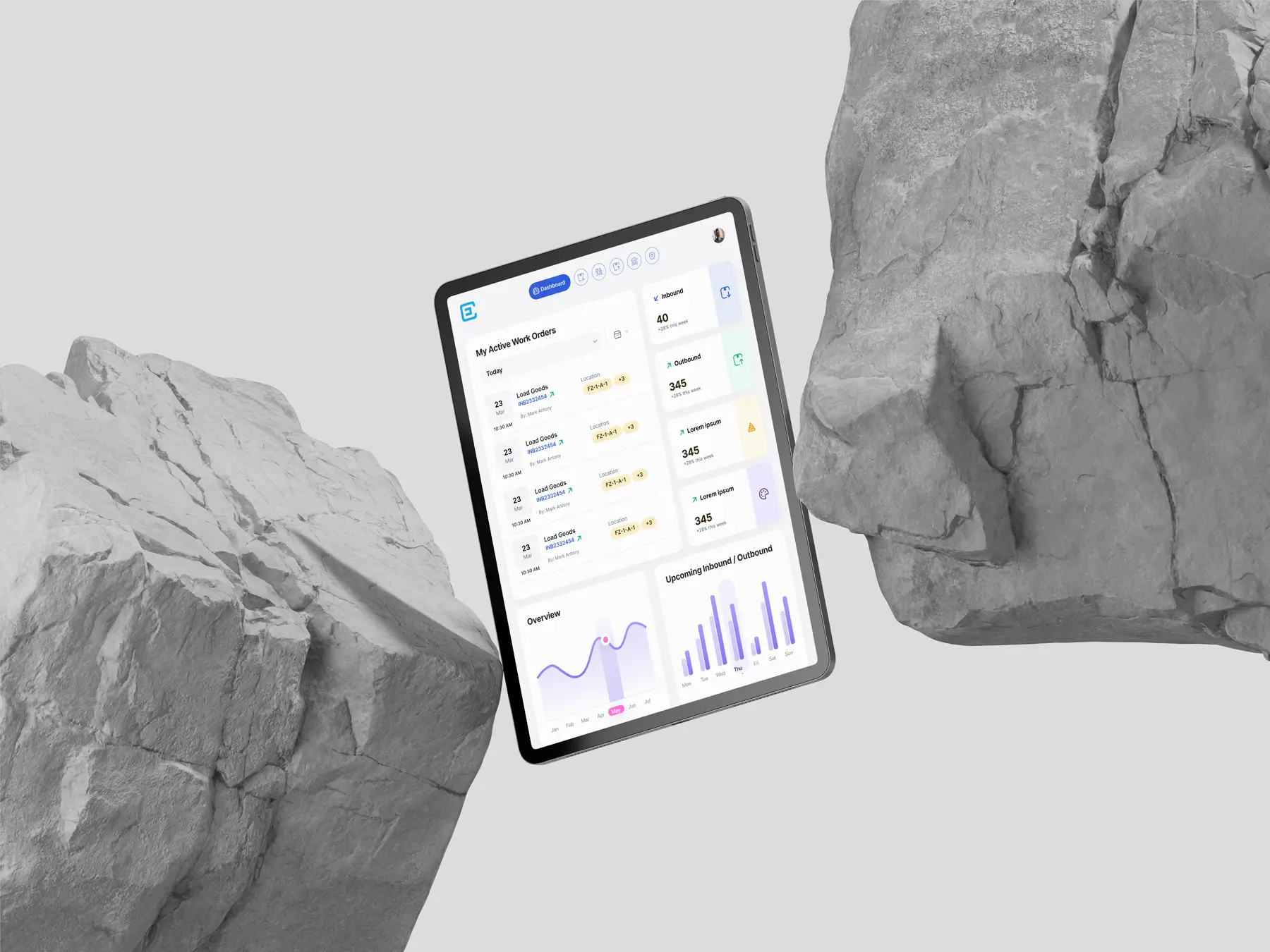
As part of our mission to build an all-in-one freight forwarding platform, I designed a Warehouse Management System (WMS) application tailored for tablets and mobile. The goal was to give warehouse teams; operators, managers, and business owners. A seamless way to handle inventory, shipments, and storage zones, all from a real-time, responsive interface.
Background & Opportunity
This wasn’t a redesign. It was a brand new product we introduced based on direct customer requests. Our freight customers were actively managing shipments but lacked an integrated tool for warehouse tracking. They were using third-party software or manual methods for:
Managing SKUs and stock locations
Tracking inbound/outbound shipments
Organizing multi-zone warehouse layouts
Customers asked
“Can you add a WMS inside your system? We want one place to manage everything.”
This gave us a clear opportunity to build a simple, effective WMS that lives inside the same product suite without overwhelming users.
Understanding the User Landscape
Even without deep user pain points, I could sense a core need: reduce software fragmentation. Most warehouse teams were forced to jump between tools for inventory, orders, and logistics. Our vision was to centralize it — and keep it lightweight.
What guided my thinking
Warehouse operators often use tablets while walking or scanning items.
Mobile support was a secondary but essential requirement.
The experience needed to be real-time, glanceable, and responsive.
I studied popular tools like Fresa, Magaya, CargoWise, GoFreight, and CartonCloud. These helped shape key flows — but many lacked clean UI or mobile support.
Process: Following the Double Diamond
Discover
I reviewed:
Competitor UI patterns and pain points
Real warehouse workflows like bin mapping, stock lookup, and zone management
Layout preferences across tablet and mobile devices
Define
I mapped out the critical features:
Inventory visibility with SKU-level accuracy
Multi-warehouse tracking
Inbound/outbound order flows
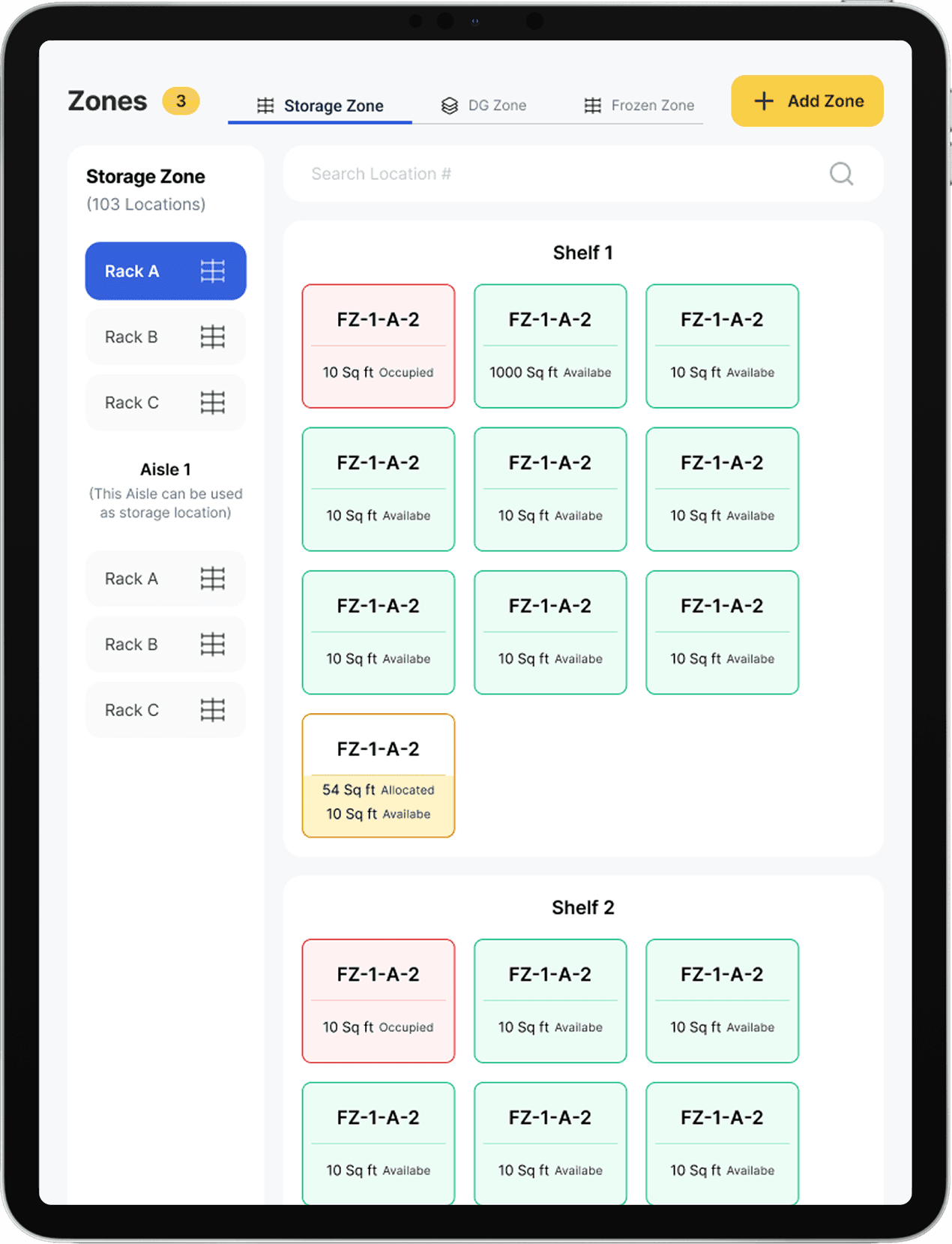
Storage zone mapping
A dashboard with key metrics
Develop
I created flows that matched operator behavior:
Minimal taps to update stock or scan orders
Responsive tab layouts for different orientations
Optimized spacing and sizing for gloved hands and poor lighting conditions
Deliver
Final files were handed off with:
Responsive components
Screen variants for landscape/portrait
A clearly organized Figma structure by features (Inventory, Orders, Locations, Shipments)
Notes and constraints defined for each section
Design Components & System
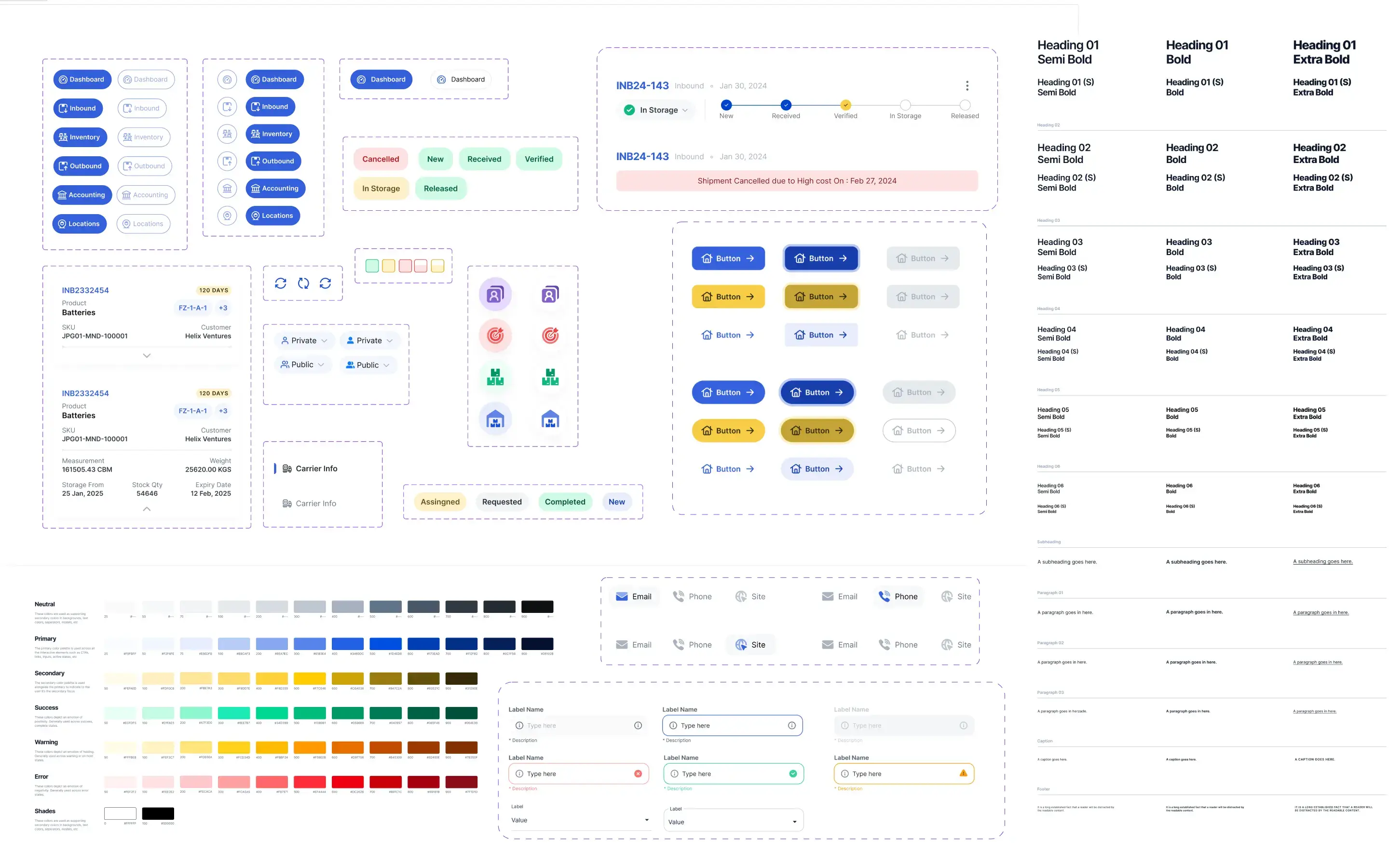
I built the design system using Atomic Design methodology:This structured approach helped in more ways than one:
Atoms: Colors, typography, spacing
Molecules: Tags, buttons, badges
Organisms: Item cards, order panels, location trees
Templates: Inbound/outbound flow, inventory view
Pages: Final screen compositions
Designing for Tablet + Mobile
One of the biggest challenges was designing for two device types:
Tablets required both landscape and portrait layout support
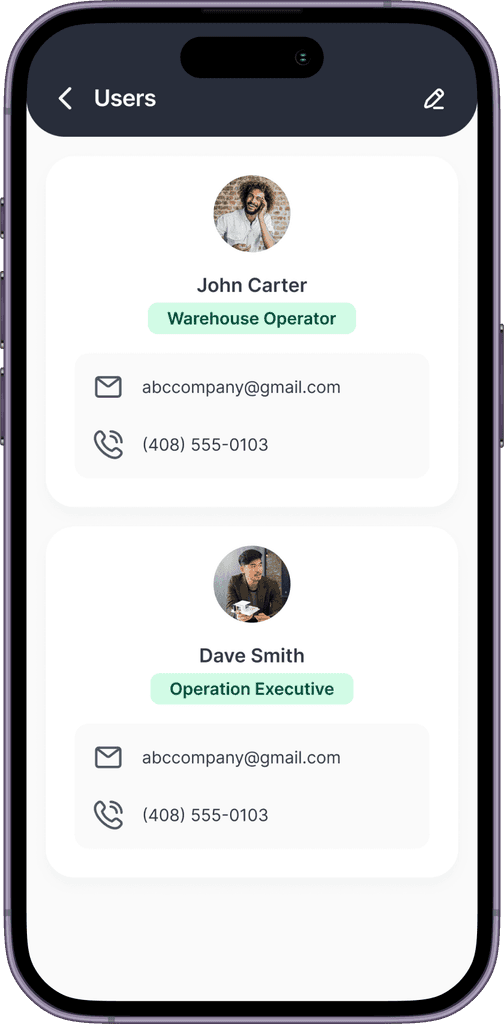
Mobiles only supported vertical layout with limited space
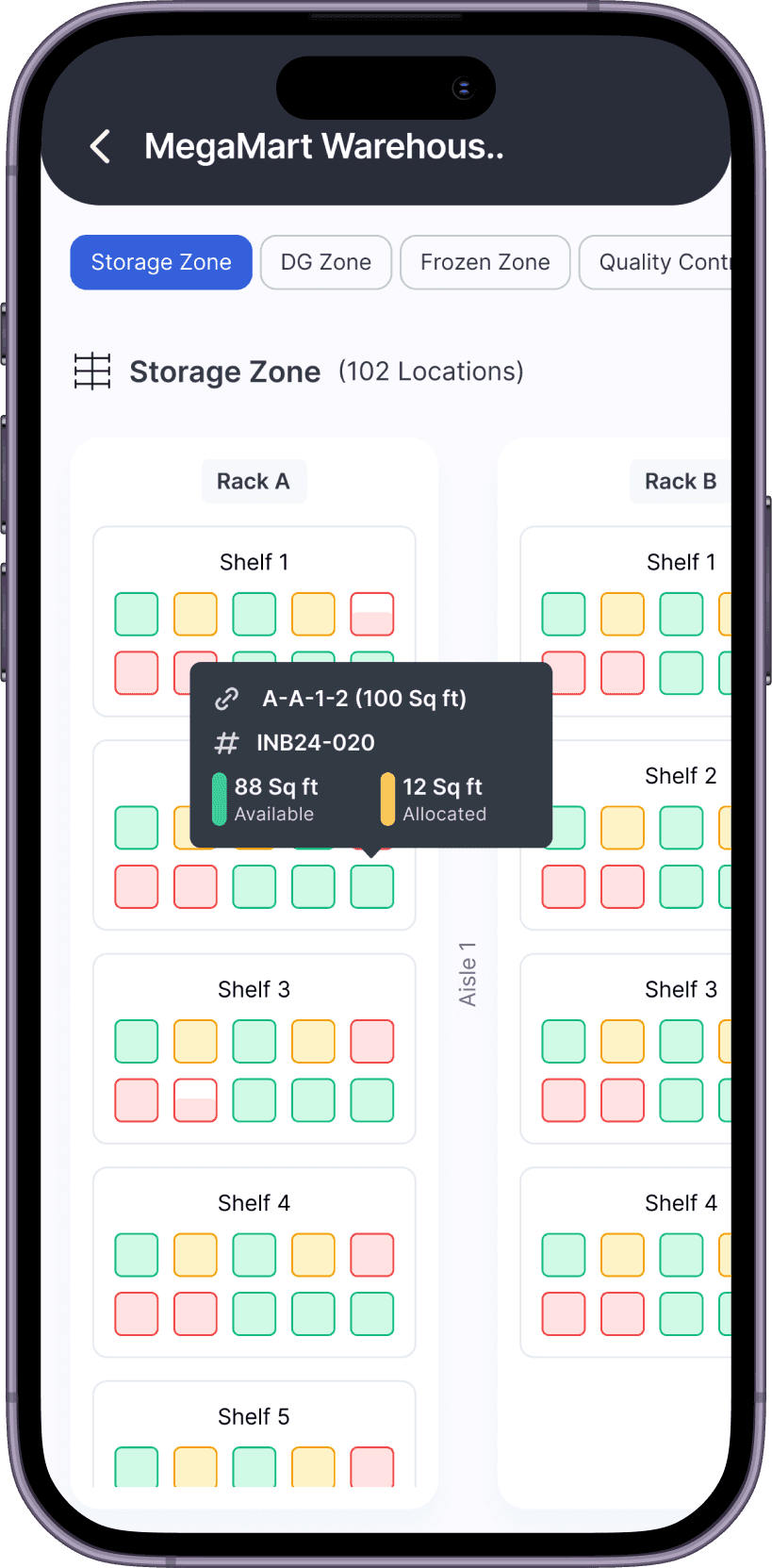
Features like location management with detailed bin structures were particularly hard to scale down
My goal wasn’t just to shrink the layout, but to preserve usability across contexts. That meant:
Using accordion-style views on mobile
Prioritizing the most actionable data upfront
Reducing friction for repetitive tasks like status updates or stock transfers




Developer Handoff & Workflow Structuring
Designing clean UI was just one part of the job. Making it easy for developers to navigate and implement was equally important. Here’s how I streamlined the workflow.
Responsive Layouts
All screens were built using auto-layout and constraints, based on a 4-point grid. This ensured consistent spacing and predictable scaling across tablet and mobile views.
Organized Figma Sections
I organized my Figma file into clearly named sections by feature (Inventory, Locations, Orders, Shipments). This helped reduce confusion during handoff and made collaboration easier.
Clear Layer Naming
Every layer and component was clearly named. This made the file easy to read and helped the developer quickly identify elements, reducing confusion and making updates easier later on.
Results & Impact
The app is currently in beta, and early feedback has been encouraging:
While we didn’t have deep analytics (since it was early-stage), we received strong feedback from internal teams and customers.
“This is so much easier than the older system we were using. The interface actually makes sense for a warehouse.”
While we’re still rolling out to our full customer base, here’s what we’re seeing:App Store descriptions and screenshots
Users love the UI clarity and responsiveness
Stakeholders praised the layout adaptability and clean structure
We're continuing to iterate on flows based on live usage and feedback
Final Thoughts
This project gave me a deep appreciation for warehouse operations not just as logistics, but as real-time systems that people live inside every day. Designing something that worked under practical constraints on tablets, in motion, under pressure made me better at designing for the real world, not just the screen.
Developers: Kumaran Karunakaran and Kathiresan S
QA Engineer: Kishore